

Published
This month we're making it easier to automate your sales process, from Workflows that handle the next step for you, to multilingual call insights and verified caller identity.
Here's what's new:
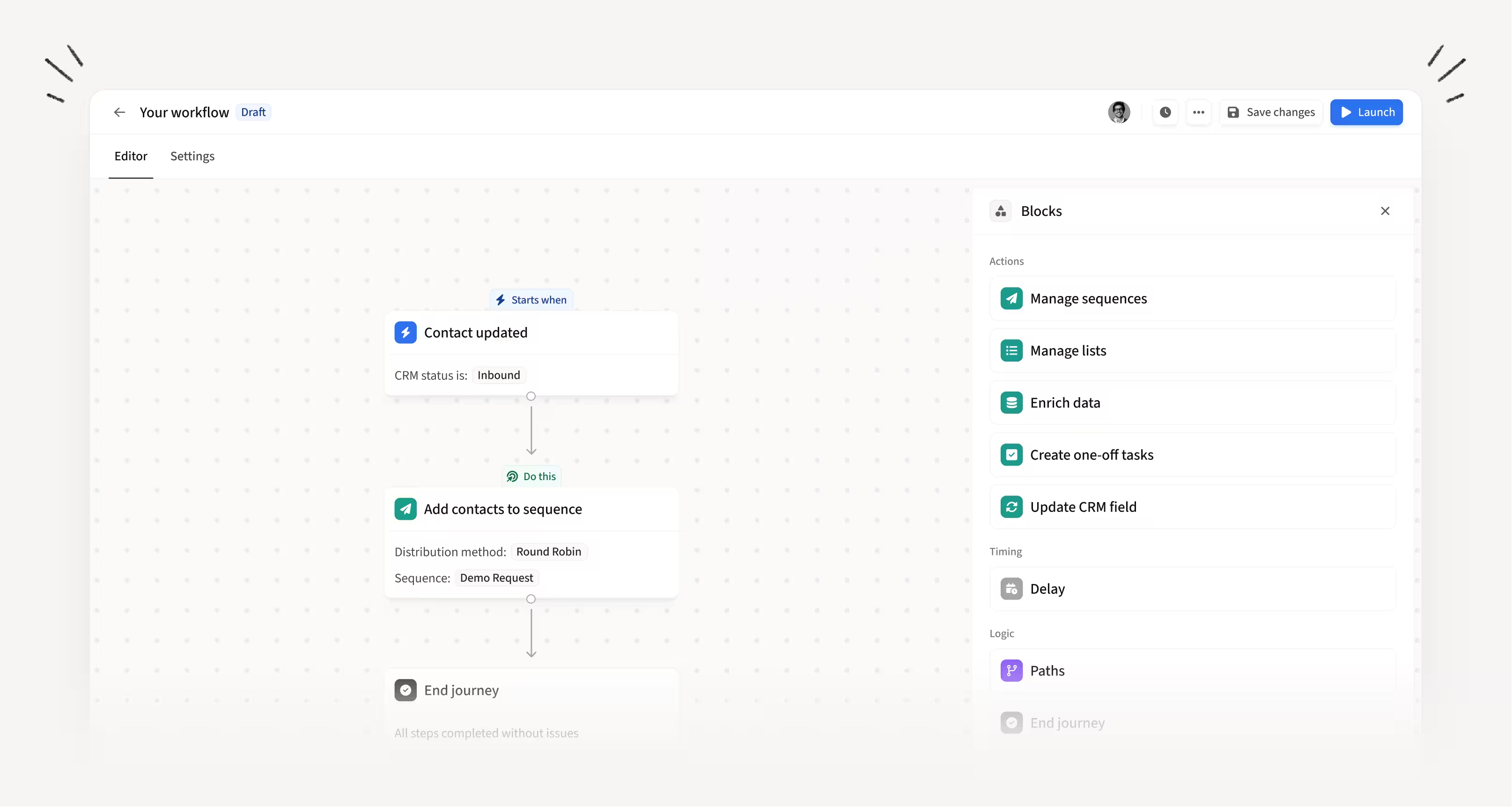
Automate your next step with Workflows
Workflows lets you automate the sales actions that usually slip through the cracks. Define a trigger, add conditions to control who qualifies, and choose the actions that fire. Start from scratch or use a pre-built recipe to get going in seconds. Learn more.
How this helps you:
- Automatically nurture leads who don't reply instead of letting them fall through the cracks
- Keep your CRM updated and leads moving without manual work after every call, bounce, or reply
- Build once and let it run, so your team focuses on selling instead of admin
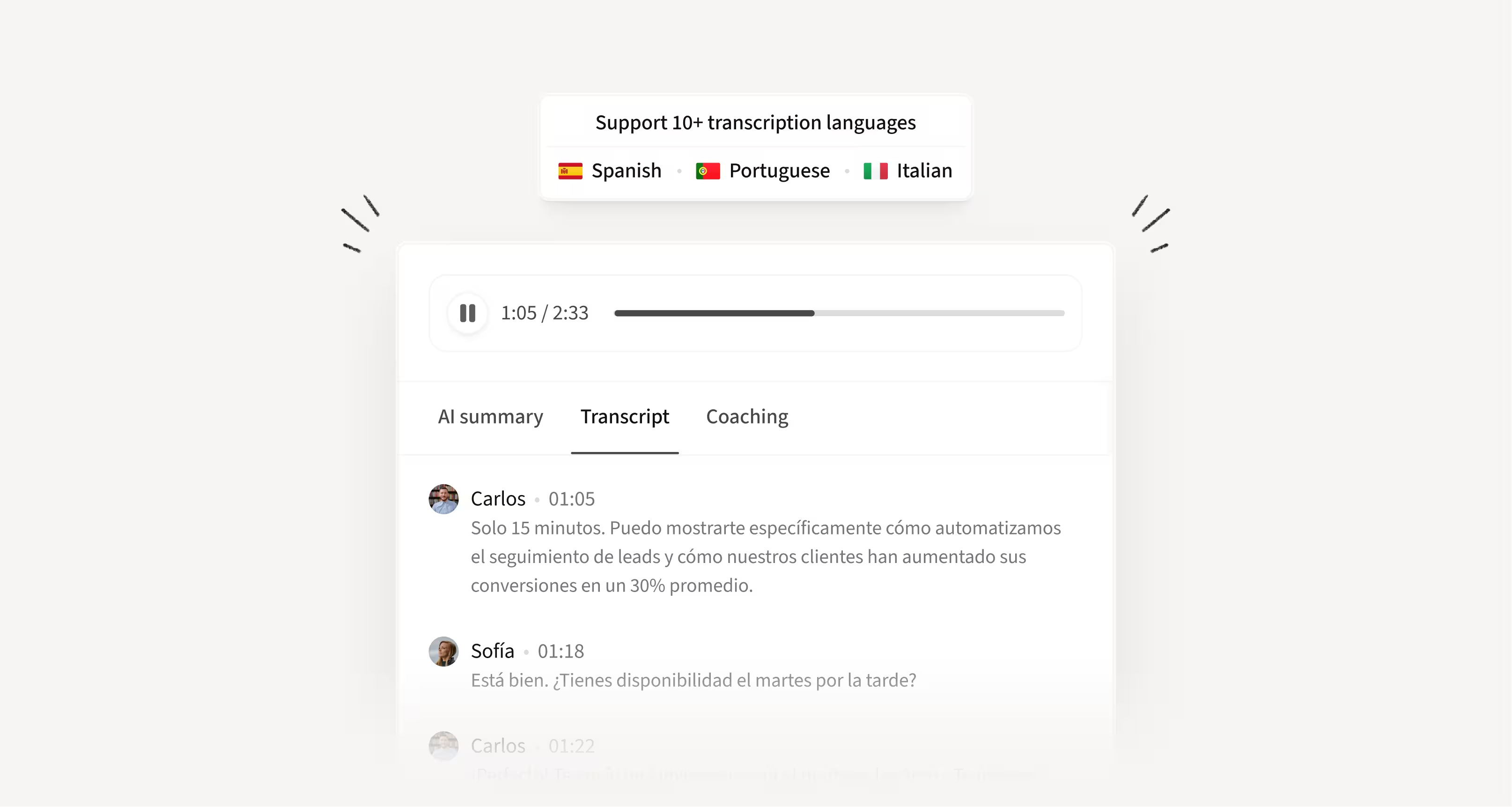
Transcribe and analyze calls in 10+ languages automatically
Call transcription and AI analysis now support 10+ languages, including Spanish, Portuguese, and Italian. The spoken language is detected automatically, so there's no manual setup required.
How this helps you:
- Get full transcripts and AI call analysis for calls in any supported language, not just English
- Stop seeing "Unable to analyze" for calls in languages your team actually uses
- Prospect in the language your buyers speak without losing access to call insights
Verify your caller identity for higher connect rates with STIR/SHAKEN
A new Trust Hub tab in Settings → Dialer lets admins submit a business profile for STIR/SHAKEN verification. Set it up once and all your US numbers are enrolled automatically, including any you add later.
How this helps you:
- Get a higher trust level with carriers, so your calls are less likely to be flagged as spam
- Reach more prospects by reducing spam labels and improving connect rates on US numbers
- Set it up once for the whole org with no per-user or per-number configuration

Generate AI-assisted sequences with just email and calls
A new "Email + Call" default is now available when creating AI-Assisted Sequences. Pick it, set your number of stages, and generate a full sequence with no social steps included.
How this helps you:
- Build sequences faster when social isn't relevant for your target audience
- Skip manually removing social steps from every new sequence
- Get a ready-to-go phone and email sequence with one click

Configure exclusion lists with multiple fields and AND/OR logic
Exclusion list criteria now support multiple CRM fields with AND/OR logic. Works with picklist, boolean, and string field types across both Salesforce and HubSpot.
How this helps you:
- Build precise exclusion rules without creating computed fields in your CRM
- Combine multiple conditions with AND/OR logic to match your exact requirements
- Spend less time on workarounds and more time on actual prospecting
Past prospect job changes signal now sets up automatically
Duo now automatically configures the Past Prospect Job Changes signal as soon as you connect your CRM, no manual setup needed. You can review and adjust the configuration at any time.
How this helps you:
- Start getting signals from past closed-lost contacts without any manual setup
- Re-engage prospects who already know your product when they move to a new company
- Skip the old Job Change Alerts setup flow and get value from Duo faster
Use Salesforce Formula fields in your mappings
Salesforce Formula fields can now be mapped as pull-only fields, so read-only CRM data flows into Amplemarket automatically. Once synced, they're available on Contacts, Accounts, and in workflow automations.
How this helps you:
- Access Formula field data across Amplemarket without recreating the logic manually
- Use fields like "days since contract start" directly in filters and automations
- Stop building workarounds for read-only CRM data
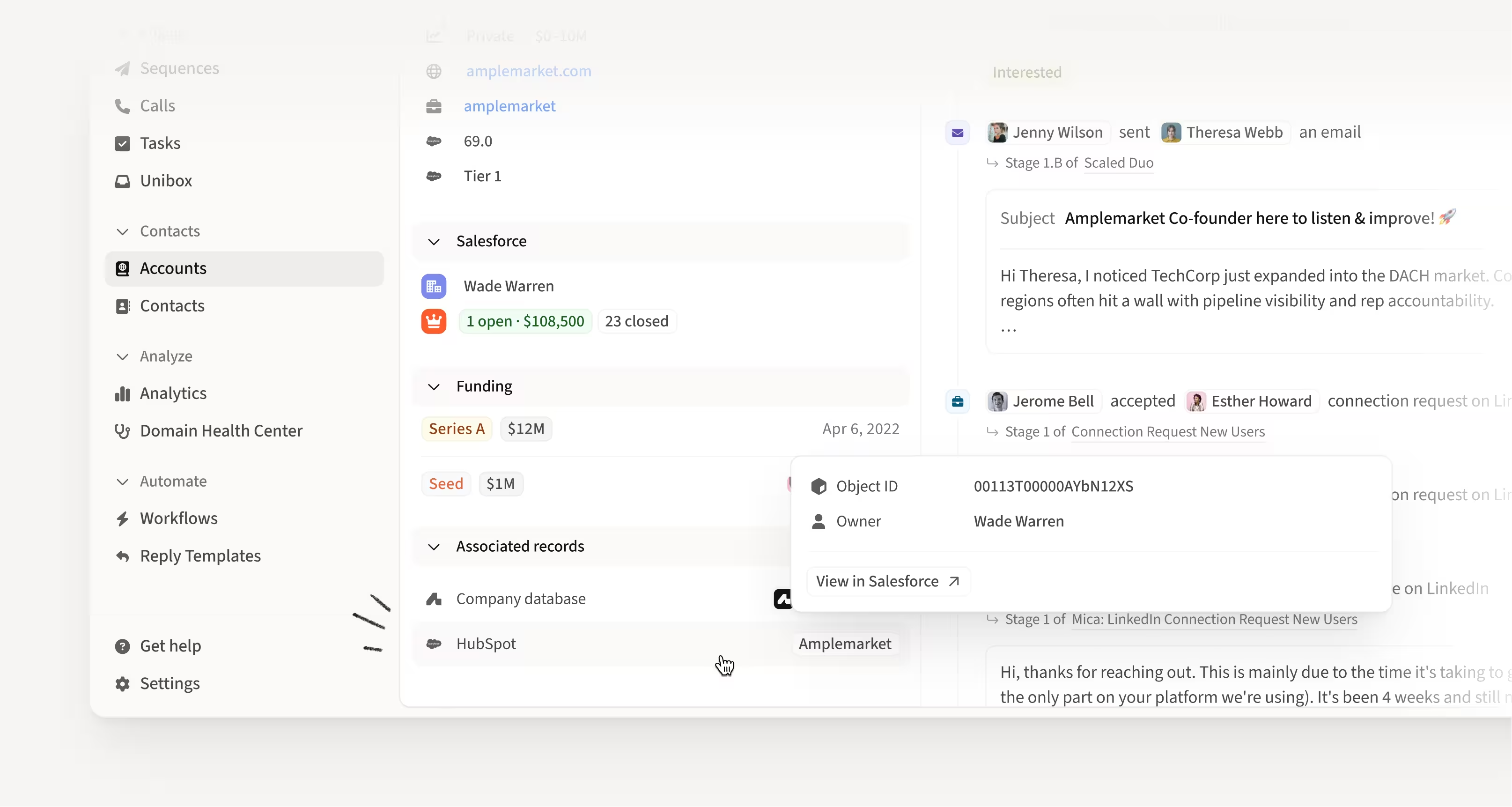
Separate Account and Company pages for clearer data
Account and Company are now distinct pages. Account shows your CRM record, Company shows Amplemarket enrichment. Purple indicators flag fields that aren't mapped to the CRM, so you always know the source.
How this helps you:
- Know exactly whether you're looking at CRM data or Amplemarket enrichment
- Access CRM details like Account Owner, last sync, and a direct link to your CRM from Associated Records
- Trust your data by seeing clear boundaries between client records and enrichment
Hope these updates make your experience with Amplemarket even better!
Have feedback? Submit it here.
Questions? You can always reach out to support@amplemarket.com
.jpg)
.png)